


How to create custom automations in Builder Prime
July 31, 2026
How To
The One-Minute Rundown:

Automations Overview
In Builder Prime you can create custom automations based on different milestones. You are able to send emails to clients or employees, create to-do tasks, add to an employee's call queue, or even update a Lead Status or Project Status automatically
To create an automation you'll first need to decide what the trigger milestone will be for the automation. This can be one of your Lead Statuses, a Project Status, or a Meeting. Then you will want to decide which action you want to take: send an email, send an SMS, create a to-do task, create a call-queue item, or update the Lead or Project Status.
Suppressions within Automations
Users can trigger automations based on specific conditions being met. The options for suppression include Class, Project Type, and Lead Source.
When utilizing suppressions, select the specific group or groups to which you want the automation to be sent in the dropdown menus. Once the group is chosen, the automation will only trigger if the recipients are labeled with the class, project type, or lead source you have specified in the dropdown menu.
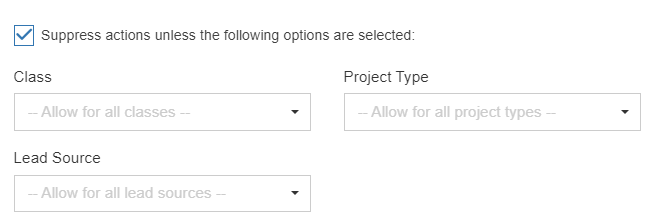
Suppressions offer users an additional level of customization to ensure that they are accurately targeting the right customer on every occasion.
Managing Automations
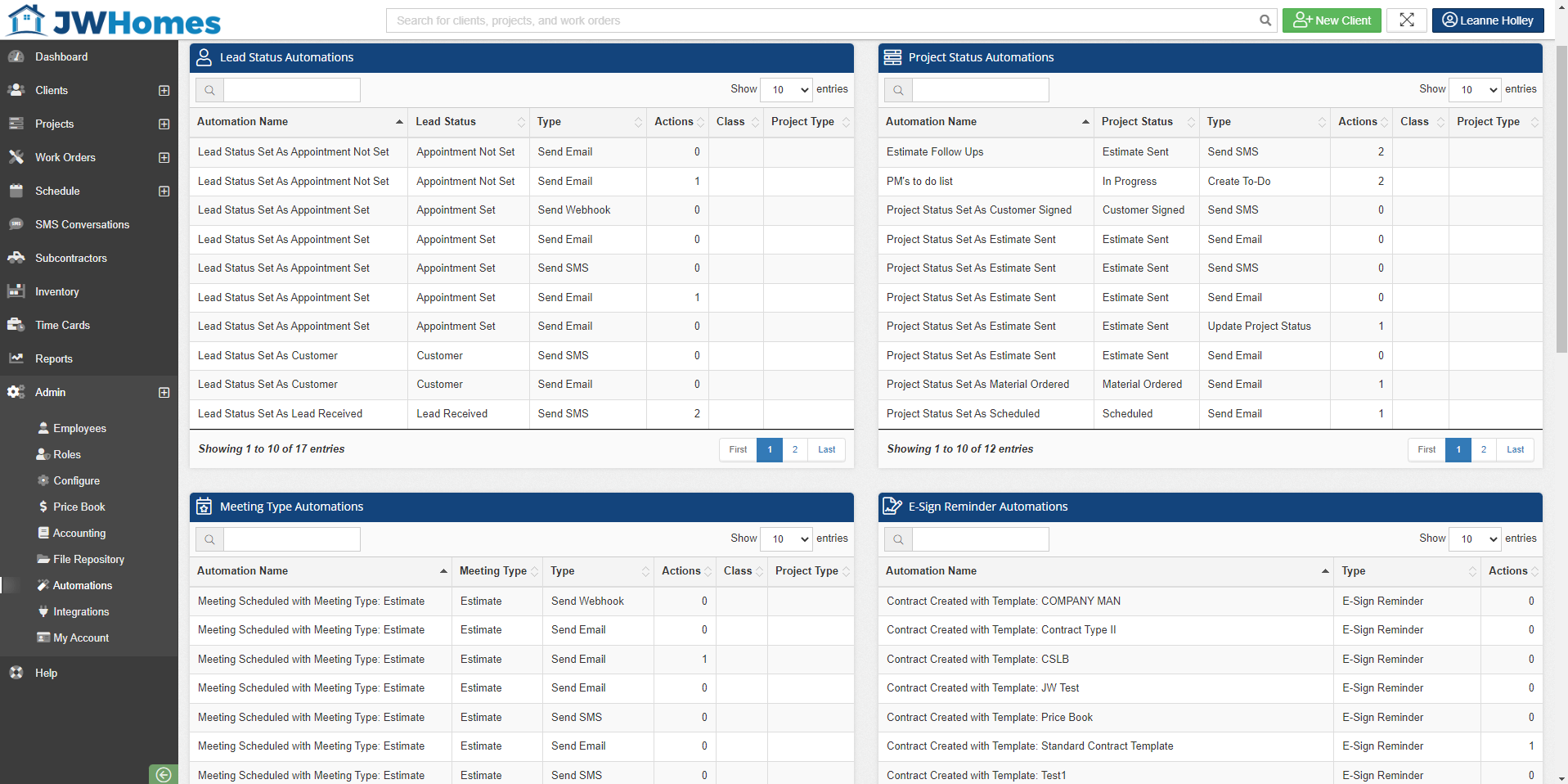
You can view and edit any of the automations currently set up in your account by going to Admin > Automations
FAQ
What are some examples of workflow automations I should consider using?
Common examples: a welcome text when a lead hits "Lead Received," an email when a Project Status changes, or an auto-created to-do task after a meeting.

Jess Ourand

Jess brings a teacher's eye for problem-solving to home improvement software at Builder Prime, where he's spent over 5 years helping contractors streamline their businesses. His background as an educator gives him a unique ability to take complex software features and make them actually useful for busy contractors who need results, not more complications.